
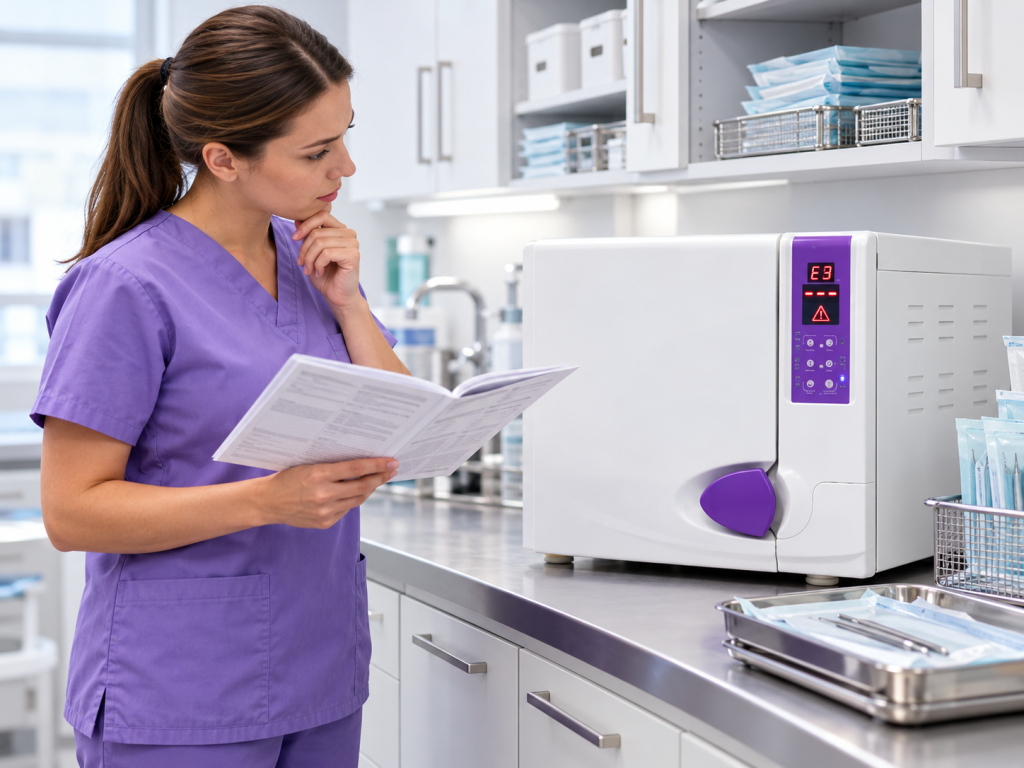
What Do Autoclave Error Codes Mean?
Autoclave error codes are designed to alert the user when something has interrupted a sterilisation cycle or when the machine has detected a condition outside its normal operating range.
The code itself does not always mean that the autoclave has suffered a serious mechanical failure. Some errors can be caused by simple issues such as low water levels, incorrect loading, a door that has not sealed correctly or an interrupted cycle. Other codes may indicate a fault that requires professional attention.
Understanding what an autoclave error code means, and knowing what to check first, can help clinics respond safely and reduce unnecessary downtime.
Why Do Autoclaves Display Error Codes?
Modern autoclaves monitor several parts of the sterilisation process, including:
- Temperature
- Pressure
- Vacuum performance
- Water levels
- Door locking
- Heating
- Cycle time
If the machine detects that one of these conditions is outside the expected range, it may stop the cycle and display an error code.
This is an important safety feature. It prevents the autoclave from simply completing a cycle when the required sterilisation conditions may not have been achieved.
Does an Error Code Mean the Instruments Are Sterile?
No. If an autoclave displays an error code and the sterilisation cycle has not completed successfully, the instruments should not automatically be considered sterile.
The affected load should remain separate from successfully processed instruments until the cause of the failure has been identified and the instruments have been reprocessed correctly.
If you are unsure whether a cycle was successful, check the cycle record and follow the manufacturer’s instructions before using the instruments.
What Should You Check First?
Before arranging a repair, there are several simple checks that may identify an operating issue.
Check:
- The water reservoir is filled correctly
- The correct type of water is being used
- The autoclave door is fully closed
- The chamber has not been overloaded
- Sterilisation pouches are positioned correctly
- The correct cycle has been selected
- Drainage valves are in the correct position
- The machine has completed any required cleaning cycle
Always refer to the manufacturer’s instructions for the specific model before resetting or restarting the machine.
Common Types of Autoclave Error
Different autoclave models use different codes, but faults generally relate to a small number of areas.
Temperature Errors
Temperature-related errors may occur if the autoclave does not heat correctly or cannot maintain the required sterilisation temperature.
Possible causes include:
- Heating element problems
- Temperature sensor faults
- Scale build-up
- Water supply issues
- Control system faults
A repeated temperature error should be investigated professionally.
Pressure Errors
Steam sterilisation relies on the autoclave reaching the correct pressure.
Pressure-related faults can be caused by:
- Door seal leaks
- Valve problems
- Vacuum faults
- Internal leaks
- Steam-generation problems
If pressure cannot be maintained, the sterilisation cycle may not be effective.
Door and Seal Errors
The autoclave door must lock and seal correctly before pressure can build inside the chamber.
A door-related error may result from:
- A worn gasket
- Debris around the seal
- Incorrect door closure
- A locking mechanism problem
- Damage to the door components
Do not force the door closed if it does not lock normally.
Water Level Errors
Autoclaves require the correct quantity and quality of water to generate steam.
A water-related code may indicate:
- Low reservoir level
- Incorrect water supply
- Blocked pipework
- Sensor problems
- Poor water quality
Only use the water type recommended by the autoclave manufacturer.
Vacuum Errors
Class B autoclaves rely on vacuum systems to remove air from the chamber and allow steam to penetrate hollow and wrapped instruments.
Vacuum errors may be caused by:
- Pump problems
- Door seal leaks
- Valve faults
- Blocked filters
- Internal leaks
Repeated vacuum faults can affect steam penetration and should not be ignored.
Where Can I Find Excel Healthcare Autoclave Error Codes?
Excel Healthcare provides detailed guidance for Eclipse and Enigma autoclaves on its autoclave error code FAQ page.
The page includes explanations for individual error codes, including E1 through E24, along with information about cleaning cycles, Helix testing and Bowie Dick testing.
If your autoclave displays a code, checking the FAQ page is a useful first step before arranging technical support.
Should You Reset an Autoclave After an Error?
A reset may be appropriate for some minor operating faults, but it should not become a way of repeatedly clearing the same problem.
If the same code returns after the machine has been reset and operated correctly, this suggests that the underlying issue has not been resolved.
Record the error code before resetting the machine, as this information can help an engineer diagnose the problem.
Why You Should Record Error Codes
Keeping a simple record of faults can make it easier to identify patterns.
Record:
- Error code
- Date and time
- Cycle being used
- Stage at which the cycle stopped
- Load type
- Whether the error happened again
- Any action taken
Repeated faults are often easier to diagnose when the engineer can see when and how they occur.
When Does an Error Code Need an Engineer?
Professional attention may be required if:
- The same error repeatedly appears
- The autoclave cannot complete a cycle
- Temperature or pressure cannot be reached
- The machine leaks water or steam
- The door will not seal or lock
- There are unusual noises
- Routine sterilisation tests repeatedly fail
- There is an electrical fault or burning smell
Excel Healthcare provides autoclave repair services for supported models.
If the fault has stopped your clinic’s sterilisation process and urgent assistance is required, an autoclave emergency callout may be more appropriate.
Can Regular Servicing Reduce Error Codes?
Routine maintenance can help identify components that are wearing or beginning to fail before they cause repeated faults.
A professional autoclave service may include:
- Checking seals
- Inspecting valves
- Cleaning filters
- Calibration
- Function testing
- Replacement of service components
- Examination of the pressure system
Excel Healthcare offers autoclave service plans to help clinics manage planned servicing and ongoing maintenance.
Regular servicing cannot prevent every fault, but it can reduce the risk of problems caused by neglected maintenance.
What If the Error Appears During a Sterilisation Cycle?
If an error interrupts a sterilisation cycle, do not assume that the instruments are safe to use.
The load should be treated as non-sterile until the problem has been resolved and the instruments have been correctly reprocessed.
This may involve:
- Identifying the error
- Correcting the cause
- Returning the instruments to the appropriate cleaning stage
- Repackaging where required
- Running a complete sterilisation cycle
- Confirming that the cycle completed successfully
Repeated failures should be investigated before the autoclave is returned to normal use.
Conclusion
Autoclave error codes provide important information about problems that occur during operation or sterilisation cycles.
Some faults may have simple causes, such as low water levels or incorrect loading, while others can indicate problems with temperature, pressure, vacuum systems or internal components.
The most important thing is not to ignore a repeated error or assume that a failed cycle has sterilised the instruments.
For model-specific information, Excel Healthcare’s autoclave FAQs and error code guide provides explanations for Eclipse and Enigma autoclave codes and other common operating questions.
FAQs
What should I do when my autoclave displays an error code?
Record the code, check the manufacturer’s instructions and look for simple operating issues such as water levels, loading or door closure. If the error returns, arrange professional advice.
Can I use instruments from a cycle that showed an error?
No. If the cycle did not complete successfully, the instruments should not automatically be considered sterile.
Why does my autoclave keep showing the same error?
A recurring code usually suggests that the underlying cause has not been resolved. This may be an operating issue or a mechanical fault requiring an engineer.
Can I reset an autoclave error code?
Some faults can be reset in accordance with the manufacturer’s instructions, but repeatedly resetting the same error without investigating the cause is not recommended.
Where can I find Enigma and Eclipse autoclave error codes?
Excel Healthcare provides a detailed autoclave error code FAQ covering Eclipse and Enigma models.
When should I stop using an autoclave?
Stop using the machine if it repeatedly fails cycles, cannot reach the required temperature or pressure, develops a significant leak, shows electrical problems or produces persistent error codes.